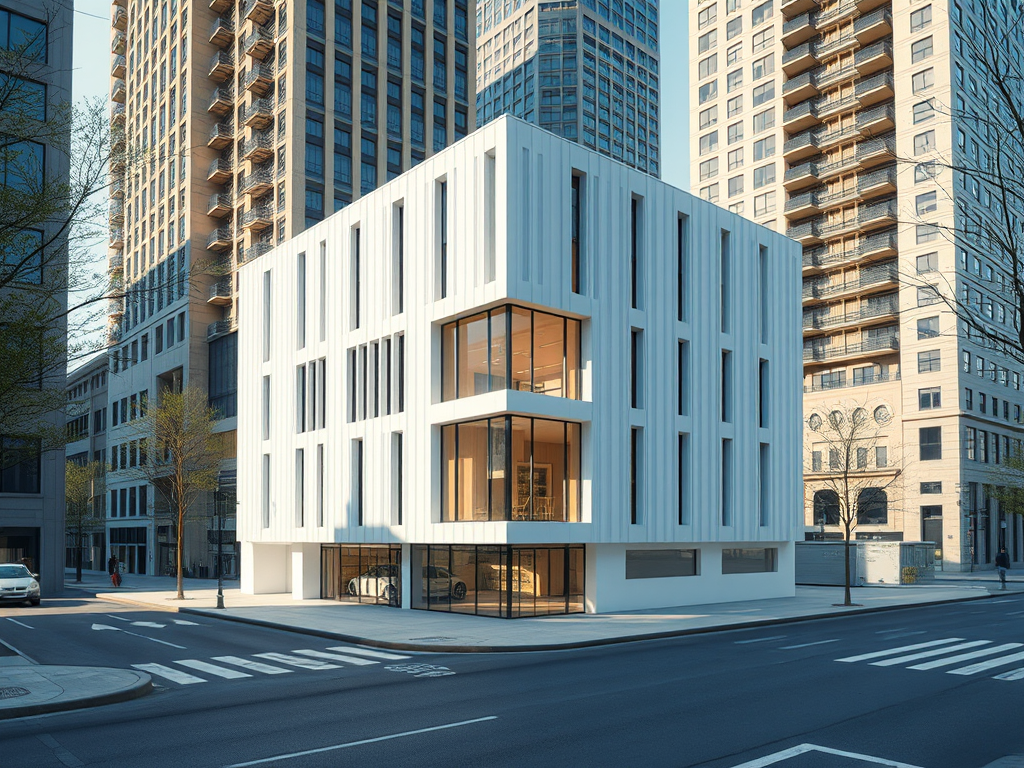
Realistic architectural renderings help AEC teams make decisions with less noise. The goal is a clear image that matches how the building is designed, documented, and built. When the rendering follows real proportions, real light behavior, and real material scale, reviews move faster and approvals get easier.
This guide lays out a simple workflow to improve realism without chasing extra detail.
Definition: What “realistic architectural renderings” means in practice
Realistic architectural renderings are images that look believable because they reflect architectural intent, constructability, and how light and materials behave in the real world. The result is an image a client, reviewer, contractor, or internal team can trust.
1) Set the intent before you model
Intent drives realism. A massing check, a client design review, and a marketing image each need a different level of precision and finish. Scope the rendering to a decision the team needs to make. How design intent changes across SD through CA.
- Define the question the image must answer.
- Confirm what is fixed versus what is still changing.
- Set the audience: client, agency review, internal coordination, or marketing.
2) Build a model that reads like construction
Model clarity beats model density. Proportion, alignment, and clean edges carry realism more than extra geometry. Keep detail where it will be seen at the final crop and output size.
- Lock primary forms, grids, and key datums.
- Keep edges crisp where shadow lines matter.
- Simplify assemblies that won’t read at the final view distance.
3) Light the scene like a real site condition
Lighting should explain form and depth. Pick a time of day, pick a sky condition, and keep the direction consistent across views. Shadows should carry hierarchy, not noise. Storytelling choices that affect how a rendering reads.
- Set sun position and sky type based on the story the image needs to tell.
- Use shadows to show setbacks, overhangs, reveals, and depth.
- Keep interior lighting believable if the view shows glazing.
Lighting tips for realistic renderings
Sign up for our Newsletter
Get the latest news and updates

4) Keep material scale and mapping under control
Realistic architectural renderings communicate materials, assembly and scale. Texture scale and mapping errors break realism fast. Start with correct sizes, then add small variation only where it supports the design.
- Match brick, panel, mullion, and cladding module sizes to real dimensions.
- Check texture sample size and rotation, especially on repeating surfaces.
- Limit the palette so form stays readable.
5) Add context that proves scale and adjacency
Context anchors the image. A simple street edge, grade, and a few adjacent cues can do the job. Add entourage with purpose, not volume.
- Show enough surroundings to establish grade, access, and setback relationships.
- Use vegetation and people sparingly, sized correctly.
- Keep context consistent across views so the set reads as one place.
6) Treat renderings as working documents
Renderings add the most value when they stay tied to current drawings. Keep them aligned with the latest plan, elevation, and key details so reviews stay about design, not mismatches.
- Update views when drawings change.
- Track assumptions the same way the team tracks RFIs and clarifications.
- Use renderings to support coordination meetings and client decisions.
Quick checklist
- Intent is stated and tied to a decision.
- Model reads clean at final crop and output size.
- Sun, sky, and shadows match a plausible condition.
- Material scale and mapping are verified.
- Context establishes scale and adjacency.
- Rendering matches the latest drawings.
FAQ
What causes realism to drop the fastest?
Incorrect scale, inconsistent lighting direction, and texture mapping errors usually show up first.
How detailed should the model be?
Detail should match the final view distance and the decision the rendering supports. Extra detail that won’t read adds noise.
How many materials should a view include?
Only what the architecture needs to read clearly. Too many finishes can hide the form.
Question: Which step affects realism most in your workflow: model discipline, lighting setup, material scale, or context?

Leave a Reply